Pixelate Images Instantly
Free. Private. No signup required.
Transform any photo into stunning pixel art or blur sensitive information with our browser-based tool. Everything happens on your device—your images never touch our servers.
Drop your image here
or click to browse
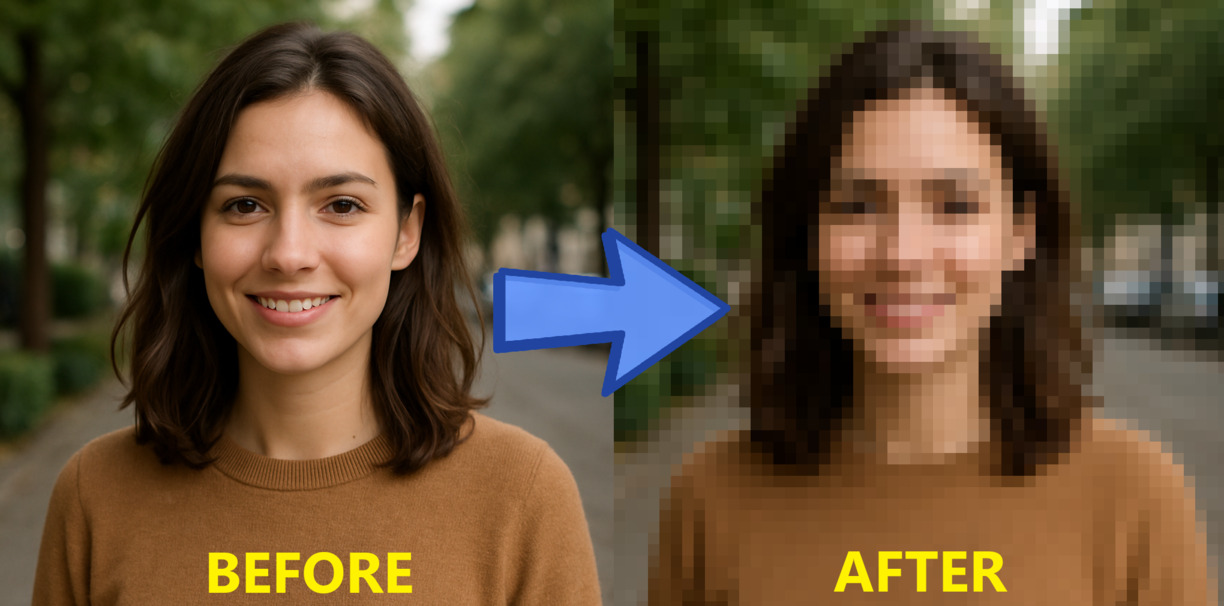
See What's Possible
Transform any photo into stunning pixel art with adjustable intensity
Popular Use Cases
Discover creative ways to use image pixelation
Why ImagePixelate?
The smartest way to pixelate images online
Browser-Based Processing
Your images are processed entirely on your device using client-side JavaScript. Nothing is uploaded to any server—ever.
Real-Time Preview
Watch your image transform as you drag the slider. Instant feedback means you get exactly the look you want.
Precise Control
From subtle blur to extreme chunky pixels—our slider gives you complete control over the pixelation intensity.
Universal Compatibility
Works on any device with a modern browser. Desktop, tablet, phone—no app download required.
Zero Cost Forever
No subscriptions, no watermarks, no hidden fees. ImagePixelate is and always will be completely free.
Multiple Formats
Upload JPG, PNG, or WebP up to 10MB. Download your creation as a high-quality PNG ready to use anywhere.
How It Works
Pixelate any image in three simple steps
Upload
Drag & drop your image or click to browse
Adjust
Use the slider to set your desired pixel size
Download
Save your pixelated masterpiece instantly
Why Pixelate Your Images?
Discover the many reasons people use image pixelation every day
Image pixelation is a versatile technique used by millions of people for both practical and creative purposes. Whether you're protecting someone's privacy in a photo, creating nostalgic 8-bit artwork, or building engagement with teaser content, pixelation offers a simple yet powerful solution.
For privacy and security, pixelation is the go-to method for obscuring faces, license plates, addresses, and sensitive documents before sharing images online. Unlike simple cropping, pixelation lets you keep the context of your image while protecting what matters.
In the creative world, pixel art has seen a massive resurgence. From indie games to social media aesthetics, the chunky, retro look of pixelated images evokes nostalgia and stands out in today's high-resolution world. Content creators use pixelation for reveal videos, guess-the-image games, and eye-catching thumbnails.
ImagePixelate vs. Alternatives
See how we compare to other pixelation methods
Frequently Asked Questions
Everything you need to know about pixelating images online
How do I pixelate an image online for free?
Simply drag and drop your image into our upload area, use the slider to adjust the pixelation level, and download your result. It's completely free with no registration required.
Is ImagePixelate safe to use? Are my images private?
Yes! ImagePixelate processes all images directly in your browser using client-side JavaScript. Your photos never leave your device or get uploaded to any server, ensuring 100% privacy and security.
What image formats does ImagePixelate support?
We support the most common image formats: JPG/JPEG, PNG, and WebP. You can upload images up to 10MB in size and download your pixelated result as a high-quality PNG.
Can I pixelate images on my phone?
Absolutely! ImagePixelate works on any device with a modern browser - iPhone, Android, iPad, tablet, or desktop. Our responsive design adapts to any screen size for a seamless experience.
How do I adjust the pixelation level?
After uploading your image, use the slider control to adjust the pixel size from fine (subtle effect) to chunky (extreme pixelation). Changes appear in real-time as you drag the slider.
Do I need to create an account to pixelate images?
No account needed! Start using ImagePixelate immediately - no registration, no email required, no hidden fees. Just upload and create.
What's the difference between pixelation and blur?
Pixelation divides your image into larger square blocks, creating a mosaic-like effect. Blur smoothly blends pixels together. Both can be used for privacy, but pixelation gives that distinctive retro, 8-bit aesthetic look.
Can I use pixelated images commercially?
Yes! Images you create with ImagePixelate are yours to use however you like - personal projects, social media, marketing materials, or commercial purposes. We don't add watermarks or claim any rights.
Is there a limit to how many images I can pixelate?
No limits! Pixelate as many images as you want, as often as you want. Since processing happens in your browser, there are no server costs or usage restrictions.
Why use ImagePixelate instead of Photoshop?
ImagePixelate is instant, free, and requires no software installation. While Photoshop offers more features, our tool is perfect for quick pixelation tasks without the learning curve or subscription cost.
Ready to pixelate?
Start creating stunning pixel art effects—completely free.